



Shift handoff
A clear brief of what happened, what remains open, and who needs to take it forward.
The standard
Open items, responsible people, and sign-off.
Open items, responsible people, and sign-off.
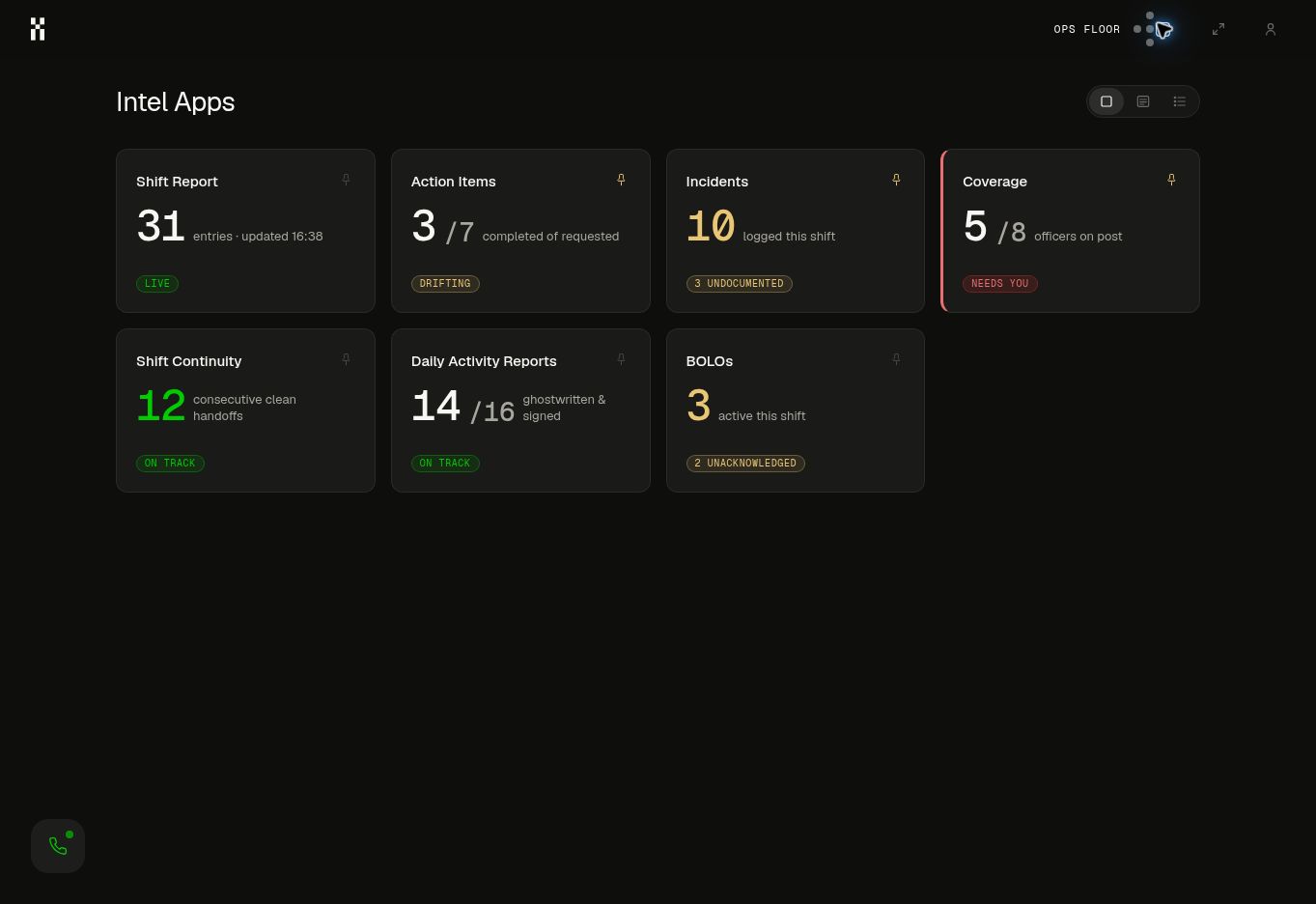
An Intel App takes responsibility for a piece of operational work: the record behind it, the output it produces, and the standard it has to meet.
The current state and the records behind it. Open the tile to understand what needs attention.
The report, handoff, brief, or request is prepared from the intelligence Humantic already holds.
The app carries the required format, the measure that matters, and the point where a person needs to review.
The shift should finish with a reliable transfer of responsibility. Humantic brings the record together while the operation is still running.
Follow the security workflowCalls and updates contribute to the same operational record. Related observations are connected; missing details become questions.
Completed work, active incidents, and outstanding actions are organized in the agreed format.
The responsible person checks the draft and confirms the open items, ownership, and recipient.
The incoming team gets the brief. Questions can lead back to the original observations and verified explanations.
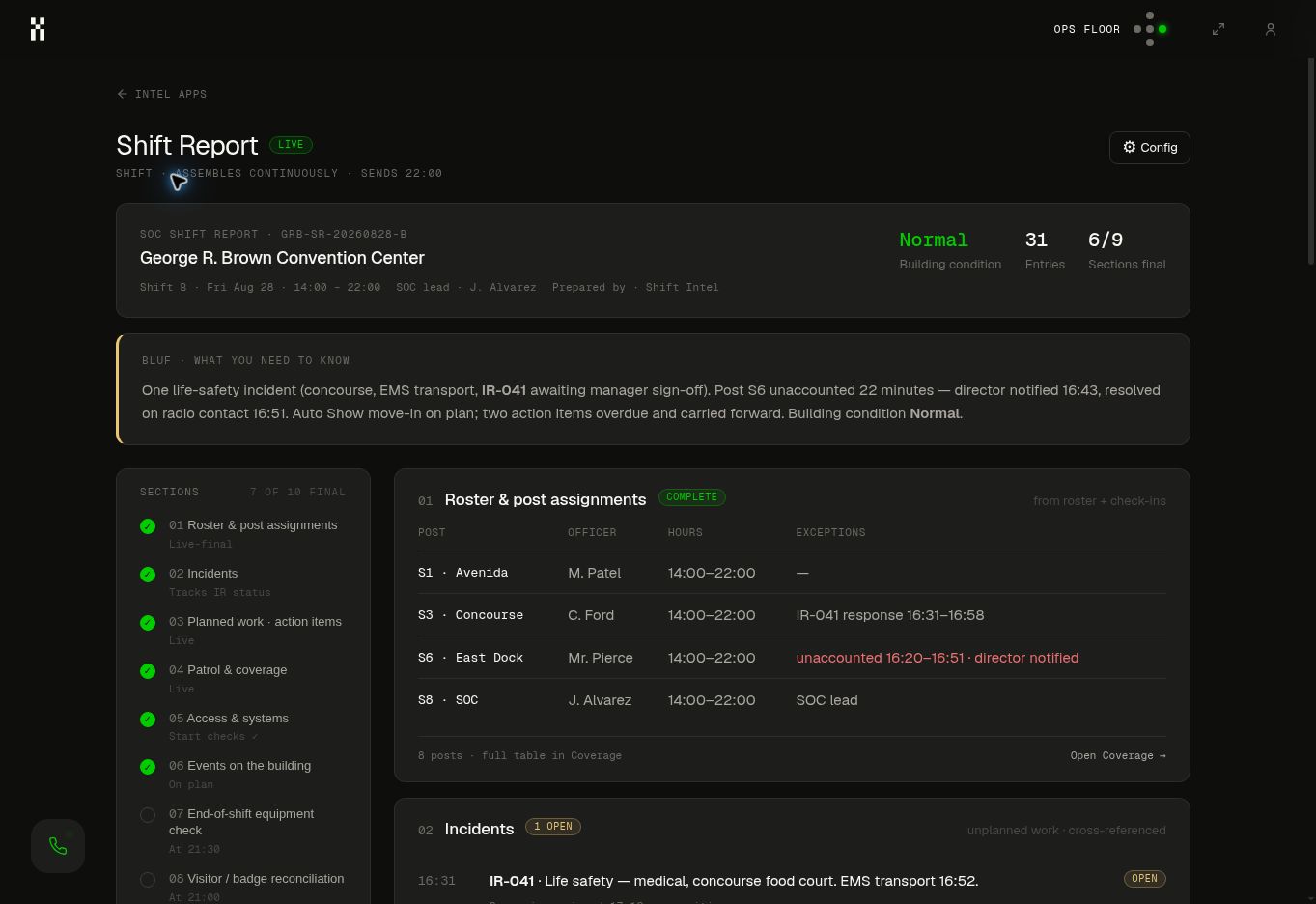
These are example responsibilities an Intel App can support. The scope, connections, outputs, and approval steps are configured around your operation.
A clear brief of what happened, what remains open, and who needs to take it forward.
A draft assembled from the day’s operational record, in the format the recipient expects.
The chronology and supporting observations brought together for a responsible person to review.
Relevant records and approved guidance returned through the connected work channel.
A question routed to the right person, with enough context to answer once and help again.
Related observations across shifts and crews surfaced together for investigation.
The situations outside the agreed standard brought forward with context and a next owner.
An experienced person’s explanation retained alongside the situation it helped resolve.
Scattered updates organized into a searchable record of incidents, locations, and work.
The work that needs a decision collected in one place, ready for the responsible person.
An operational summary tied to the measures and exceptions leadership needs to understand.
Open tasks and their latest updates brought together so the handoff includes what happens next.
You do not have to activate everything at once. Start with a responsibility whose inputs and standards are clear, review the output, and expand from a reliable base.
Show us how your operation communicates—and the work you want to get off your team’s desk.